What Is Latency?

In this article, we will explore the concept of latency. Any idea about what it is? If so, are you often struggling with latency? Or have you already found the perfect tool to solve it? Whether you are a noob or an expert, let’s refresh our memories a little bit. We will first define what latency is. Then we will figure out how to measure it. We will also provide a few simple examples before looking at some of the checkers available on the market.
Definition of Latency
What does latency mean? Some may simply define it as a nightmare, and honestly, we wouldn’t blame them. However, the concept is not necessarily negative per se. So in more objective and exact terms, network latency (also called lag) is a communicational unit of time. It indicates the time required by data packets to be transmitted from a source to a recipient.
Yes, when said like that, it sounds like one of the communication models in psychology or linguistics. But the main actor here is the delay. That’s what we focus on. The source and the recipient can vary from one scenario to another. For example, an app user can be the source, while the app itself would be the recipient. Why? Because the user is the one that initiates the action by sending a request or a command to the app. Don’t worry if all this looks a little complicated so far. We will solve the puzzle step by step.

How to Measure Latency
Latency is usually measured in milliseconds. Keep in mind, though, that the measurement may involve different nuances. This will depend on what exactly you try to evaluate when investigating the delay.
- Round-trip time (RTT): a quite self-explanatory term, actually. We may express this type of metric as follows:
- RTT = Amount of time required to send a signal from a source + Amount of time required by the recipient to send a confirmation to the source
- RTT is the most frequently used metric to calculate latency. This is because it can be tracked through a unique spot within the network. Plus, and unlike other metrics, it can be collected without using any special software.
- Time to first byte (TTFB): once again, the term speaks for itself. Here’s a way to express this metric:
- TTFB = Amount of time required by a data packet to leave the source and reach the recipient
This metric is particularly useful to check day-to-day online actions. Most typically, the starting point is a user sending an HTTP request to a server. Then comes the first byte sent by the server as a response to the user. The next section will show how it works in a more detailed way.
An Example of Latency Sequence
It can be difficult to understand latency issues if one doesn’t know what a latency sequence looks like. There are actually various cases. Let’s just pick one example among others. Suppose that you have just successfully purchased an mp3 audio product by creator Sapien Medicine on Gumroad. The sequence is likely to go in the following order:
The website displays two options or commands: download and play. Let’s say you click on play. The browser interprets your click as a request. The request and the information associated with it are sent to the website’s server. The server identifies the request. This means that the signal emitted by the source has been received. At this point, several outcomes are possible.
The request can be accepted or refused, depending on the case and other parameters.
Let’s go for a positive example and suppose that the request is accepted. The server will thus send back an approval.
Your browser receives that response and thereby starts streaming the audio file. This part represents the reply from the recipient.
So a normal process is as simple as that. However, sometimes there may be abnormalities affecting the latency. Keep scrolling the article to get an idea about them.

An Overview of Delays
Maybe you have already noticed that we haven’t used the term delay as a synonym of latency. As a matter of fact, delays are just one of the components of the process and not the process itself. Nevertheless, if you are wondering how to fix latency problems, you should then be aware of the different types of delay. This will help you identify the nature of the issue you are encountering.
Access Delay
This can happen when the members within the same network share a medium, such as a Wi-Fi connection. The amount of traffic generated by each network station determines the severity of the delay.
Propagation Delay
One of the most common factors affecting latency. What matters here is the distance between 2 exchanging nodes. So the delay will be proportional to that distance.
Queuing Delay
When routers receive data packets, they usually give priority to some of them while storing the others for later transmission. In most cases, they follow a FIFO (First In, First Out) rule, meaning that the first comers are prioritized. When too many packet bits are placed in memory and waiting to be sent, the delay may increase. This can saturate or congest the system in some cases.
Server Delay
Another well-known one. Indeed, even layman Internet users have a direct experience of this kind of delay. Basically, it refers to the amount of time that a server needs to deal with a request and react with the appropriate response.
Switching delay. This involves next-hops, which act as transfer stations. In other words, a data packet is usually first sent to an intermediary gateway. After having been processed in there, it’s ready to be forwarded to its final destination. When the amount of time required for such transmissions is too long, this results in a switching delay.
By now, you can probably better understand the complexity of latency. Delays and a combination of other factors have a direct (yet mostly subtle) impact on it. So what’s the final point? Basically, what we should aim for is low latency. This means that the ping rate or reaction time should be somewhere between 20 and 150 milliseconds. When the reaction time exceeds that range, it is called high latency.
Obviously, this is the scenario that can have undesirable effects, especially for some delicate operations requiring synchronicity. Not to mention all the communicational problems that may arise. So how to improve latency? That’s the topic of our next section.

Ways to Improve Latency
We have already mentioned the main latency measures (RTT and TTFB). Ok, but before measuring anything, one has to detect it. This means that you should probably start by checking your current network latency. There are several methods.
You may, for example, opt for online latency checkers (just type those three words on your search engine). We have personally tested the speed while writing this article. The results have been displayed quite instantly. We were happy to notice an overall latency of 75.6 milliseconds. We also got a general idea about our network jitter, download- and upload metrics. All in all, the site looks pretty handy for layman users.
However, you may need more elaborated tools to verify and reduce latency depending on your situation. Solar Winds is one of the current ‘experts’ to go for. The cherry on the top: free trial period. Their pack called Network Performance Monitor provides in-depth analyses and consequent solutions to reach lower latency rates. Among other similar pro options, we can mention Paessler PRTG Network Monitor and Site 24X7 Network Monitoring Tool.
Time needed: 10 minutes.
That aside, you can also conduct a test through your in-house commands. For example, if you are a Mac user, you would follow the steps below:
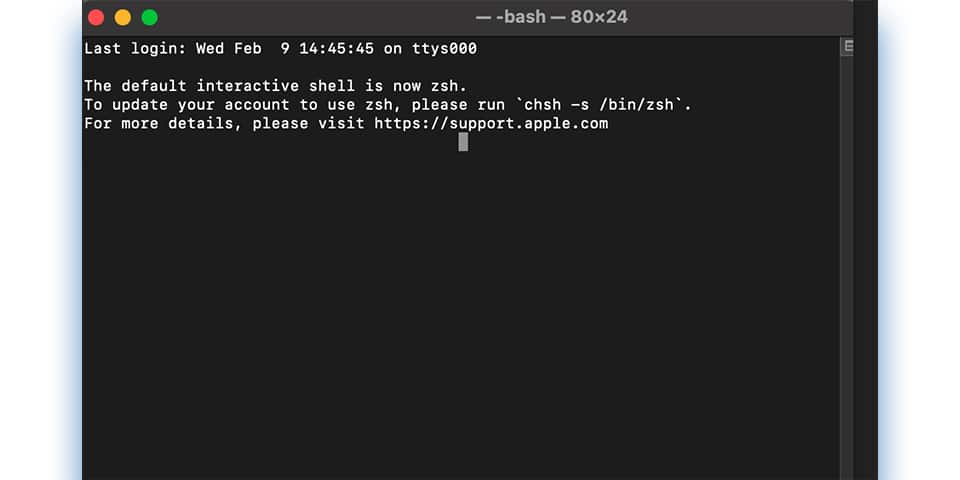
- Initiate the process on Terminal
Access Terminal via /Applications/Utilities. You should be seeing the Terminal window popping up.
- Select your ping options
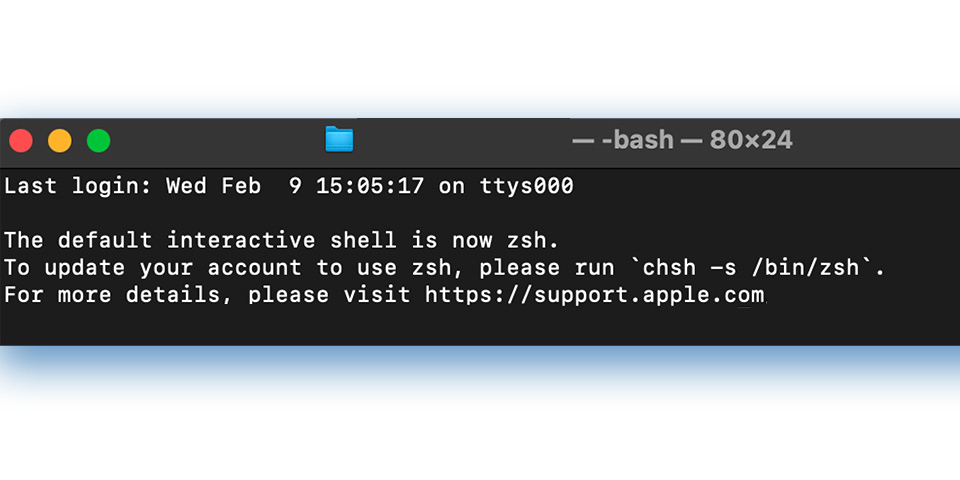
Enter ping in the Terminal window. can be either the hostname or the server’s IP address you are examining.
- Launch the flow of results
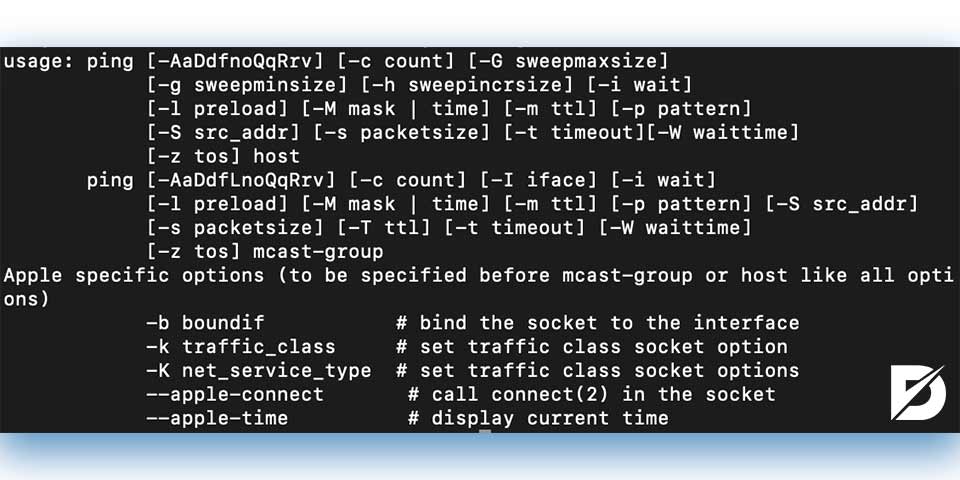
Finally, press ‘Enter’ and wait for the results. You can end the ping when you have gotten enough by pressing Ctrl + C.
FAQs About Latency
Not really. Still, you can take precautions to minimize any potential issue. For instance, it’s always good to keep an eye on your Internet speed and bandwidth. Try also to stay close to your router. Don’t hesitate to connect it to your device with an Ethernet cable if necessary. Also, don’t let programs run in the background.
The network backbone is the circuit that interconnects networks. It enables interactions between the different parts and nodes of the network. Depending on the type of circuit, a backbone can be serial, parallel, collapsed, etc.
Fiber-optic type of connection is certainly more effective and speedy than traditional cables. So the answer would be mostly yes, if not always (there may be other factors at play).
CDN or Content Delivery Network is a collaborative group of servers. It’s a geographically distributed service, which means that users from all around the world can benefit from the same network quality.
Honestly, there are no absolutes here. However, Ping seems better in terms of speed, whereas Traceroute gives more exact information about the transmission process.
Latency in a Few More Bites
Pun intended. As you can see throughout the article, latency involves much more than the speed of bytes. This means that an accurate diagnosis requires taking various factors into account. Fortunately, today’s testing tools are capable of more precision. Thanks to their refined performance, it’s easier to determine and even anticipate most of the latency issues. You can find more posts on similar technical subjects on our blog.
The post What Is Latency? is republished from Dopinger Blog


Yorumlar
Yorum Gönder