SaaS vs PaaS vs IaaS

Cloud computing has numerous benefits for your business. However, to make the most of it, you should know which cloud service is more suitable for your needs and business. SaaS, PaaS, and IaaS are the three main types of cloud services available. They are all models of cloud computing, which is a subheading of cloud infrastructure. To start, let’s take a look at the comparison of SaaS vs PaaS vs IaaS.
Short Definitions: SaaS vs PaaS vs IaaS
SaaS stands for “Software as a Service,” and its main purpose is to help users connect to cloud-based applications available on the internet and use them. It is cloud-based, mostly accessible via a web browser (internet connection is necessary), and it is hosted online by a vendor. This mentioned vendor manages applications, installation, maintenance, etc. In other words, instead of giving complete control to the customer, a third party (the vendor) is responsible for services and the provision of them. Gmail, Slack, Dropbox, and Salesforce are some examples of SaaS platforms.
PaaS stands for “Platform as a Service.” This term indicates cloud-based platform services; that is, it offers a platform. PaaS mainly interests application developers and their code. They can use PaaS to customize apps, as well. But they do not deal with infrastructure such as keeping web servers up to date. The service provider is in charge of this type of thing. The method of delivery is over the internet. To give a clear example, Windows Azure, Google App Engine, AWS Elastic Beanstalk, and Force.com are PaaS platforms.
IaaS stands for “Infrastructure as a Service.” It denotes cloud-based infrastructure services. Service providers supply it to organizations. In this way, organizations build and manage their own runtime, middleware, etc. Additionally, not only software developers but also system administrators can benefit from IaaS. It utilizes the technology of virtualization, which basically refers to virtual machines operating in the cloud, and it is delivered via the internet. Using IaaS allows users to monitor their own data center hardware through the internet. Some examples of the IaaS platforms are Google Compute Engine (GCE), Rackspace, Microsoft Azure, and Cisco Metapod.
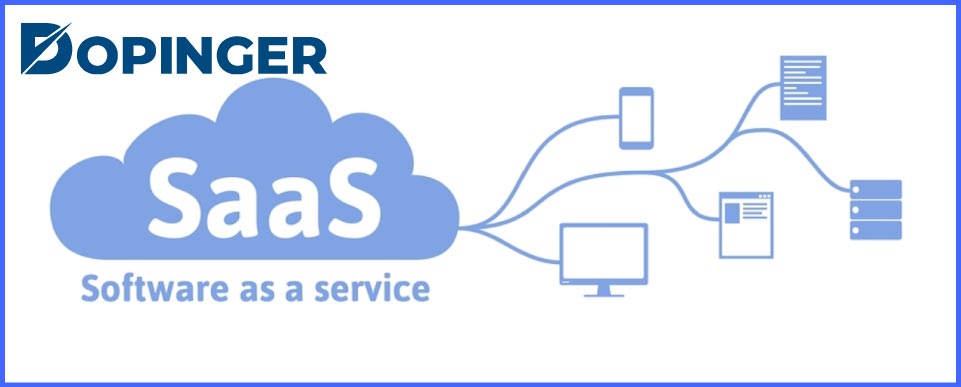
SaaS Features and Advantages
If we look at the separation of responsibilities chart, you will see that In SaaS, your vendor manages Applications, Data, Runtime, Middleware, O/S, Virtualization, Servers, Storage, and Networking for you. Let’s take a look at its advantages.
- Cost benefits: SaaS mostly offers flexible payment methods, and you do not typically pay in advance. Also, it is the cheapest of all three.
- Accessibility: You do not need to install any application to your computer since SaaS generally allows you to access its services via a web browser.
- Simple: IT department does not have to engage in numerous affairs such as updating systems or managing operating systems. They can just focus on the use of the service (software) and making sure that all employees are granted access. Hereby, it takes the burden off the IT department.
PaaS Features and Advantages
In PaaS, you manage Applications and Data, whereas your vendor manages Runtime, Middleware, O/S, Virtualization, Servers, Storage, and Networking. Here are some advantages of PaaS.
- Practical: PaaS enables developers and IT Department to center upon the management of the application software, which means they do not have to deal with keeping software up to date or other cloud infrastructure matters.
- Cost-effective: You do not necessarily need to pay for hardware, a full-time system, or an IT admin to run this app since you do not have to reimburse in the event of downtime. Even though it is a bit more expensive than SaaS, it is a good choice considering the cost-benefit analysis.
IaaS Features and Advantages
In case you manage Applications, Data, Runtime, Middleware, O/S, while your vendor manages Virtualization, Servers, Storage and Networking. Let’s take a glance at a few advantages of IaaS.
- Offers flexibility and scalability: IaaS is the most flexible cloud computing model. Because it is scalable, you can enable a feature, change given ones, and give you complete control over the mentioned services. IaaS also supports virtual data center building.
- Minimizes downtime: IaaS also offers disaster recovery, which means when in the event of an outage, IaaS offers instant recovery. Therefore, it reduces downtime and maintains your business stability.
FAQ on SaaS vs PaaS vs IaaS
SaaS is the cheapest service, whereas PaaS is mid-cost and IaaS is the most expensive service, but it gives the most benefits and generally appeals to a large business in terms of being sophisticated.
They are Applications, Data, Runtime, Middleware, O/S, Virtualization, Servers, Storage, and Networking.
The thing that differentiates these models is basically the style of their control and cost.
SaaS is the most commonly used type because nearly every user on the internet utilizes it.
What composes the primary characteristics of cloud computing is that they all use the internet as a medium, multiple clients use and share the resources, and they have broad network access, which promotes ubiquity.
Your Decision?
To sum up, SaaS is software that is provided online by a third party (vendor). In PaaS, Clients receive a platform is via the internet, which includes hardware and software instruments. IaaS is cloud-based infrastructure services that one can obtain over the internet, and you do not need to have physical servers. They all have specific features and pros, such as SaaS has cost benefits, accessibility, and it is easy to use. PaaS is practical and cost-effective in terms of cost-benefit analysis.
Finally, IaaS offers flexibility and minimizes downtimes. It is you who is able to decide which one is the most appropriate for your business and capable of fulfilling your needs. This post attempted to elucidate the subject of SaaS vs PaaS vs IaaS. If you are interested in cloud computing, then you might enjoy reading about CloudFront.
The post SaaS vs PaaS vs IaaS is republished from Dopinger Blog


Yorumlar
Yorum Gönder