What Is iFrame?

iFrame stands for Inline Frame, an HTML file component that allows you to embed videos, documents, and other files into a web page. The process for embedding files in this technique is known as an iFrame embed. In an HTML file, the use of an iFrame is indicated by the <iframe> tag.
When using iFrame HTML, the embedded files can come from other pages of your website. However, it could also be from other websites. The most common example of using it is embedding a YouTube video.

Why Use iFrame?
You can easily upload the files you need when creating articles on your blog/website. Then, why should you use it? The answer is that using iFrame provides various benefits.
Avoiding Copyright Infringement
Sometimes you find interesting content on the internet and want to use it on your website. What you’re going to do might be downloading the file and then uploading it back in your post.
What if the file turns out to be copyrighted? Of course, you have to be prepared for the legal consequences you will receive if the owner objected.
So, using it can prevent you from infringing copyright. Because embedding content from other parties by embedding it does not violate copyright.
One example is the statement on the official YouTube page. It states that by default, every YouTube video can be embedded on other websites. If YouTube users want to apply restrictions, they can make unique settings first.
So, if you want to use content from other websites, using iFrame is the safest way. However, ethically, you are still advised to ask permission from the content owner in question.
Reduce Storage Media
The iFrame can help you reduce storage media usage because you don’t need to upload all files to the WordPress Media Library. With iFrame embedding, the files you use are not stored on your hosting server. So, you don’t need to worry about running out of storage.
For instance, when you embed a YouTube video on your website, the video is still on YouTube’s servers. When visitors play videos on your website, they can access them directly from YouTube’s servers.
With this condition, you don’t need to hesitate when you want to display the best quality video files, which generally have a large enough file size.So, although using it has many advantages, there are drawbacks that you should be aware of.
The use of it must always consider the safety factor. This means that you must know the security of the website that has the file. If the website is vulnerable to malware, it will undoubtedly disrupt the condition of your website.
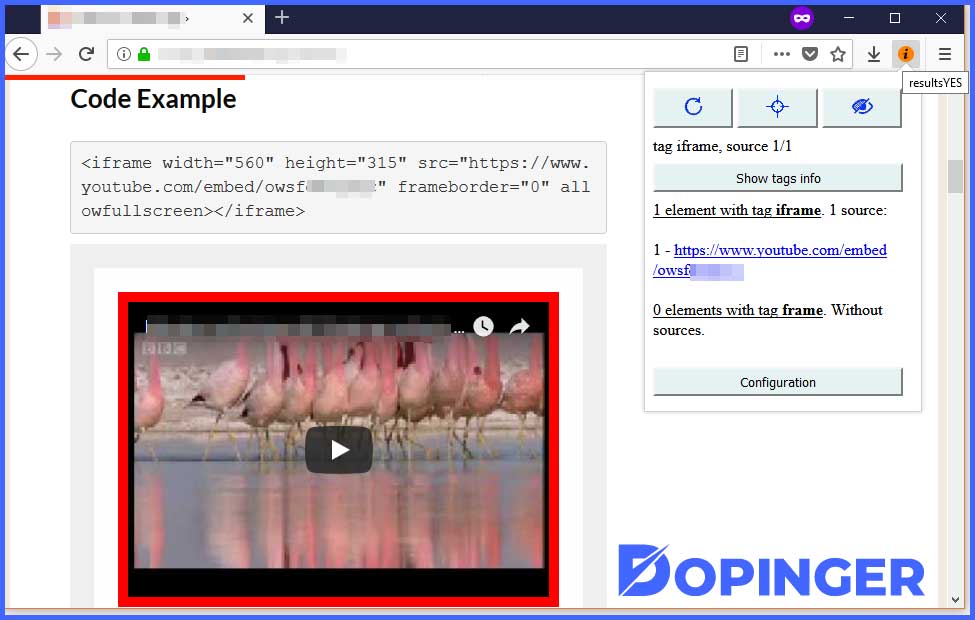
How to Use iFrame
Now that you know its benefits, it’s time for you to learn how to use one with a few different methods.
Create an iFrame Manual
The first method is to insert the iFrame element into HTML manually. In the manual method, you can use the tag <iframe>along with the link of the file you want to embed.
The code used is that <iframe src=”https://ift.tt/2Y2UUr7> you can replace example.com with any link you want
Keep in mind that you can only embed content from websites that have the same protocol. This means, if your website uses HTTPS, use the link from the website with HTTPS.
Apart from that, you can also customize how the iFrame is displayed. For example, like the example below:
The iFrame above is displayed in 600 × 480 pixels. Therefore, the HTML code used must add weight and height parameters. Weight for the iFrame width, height for the height.
Here's the HTML code we use: <iframe src="https://www.example.com" width="600" height="480"></iframe>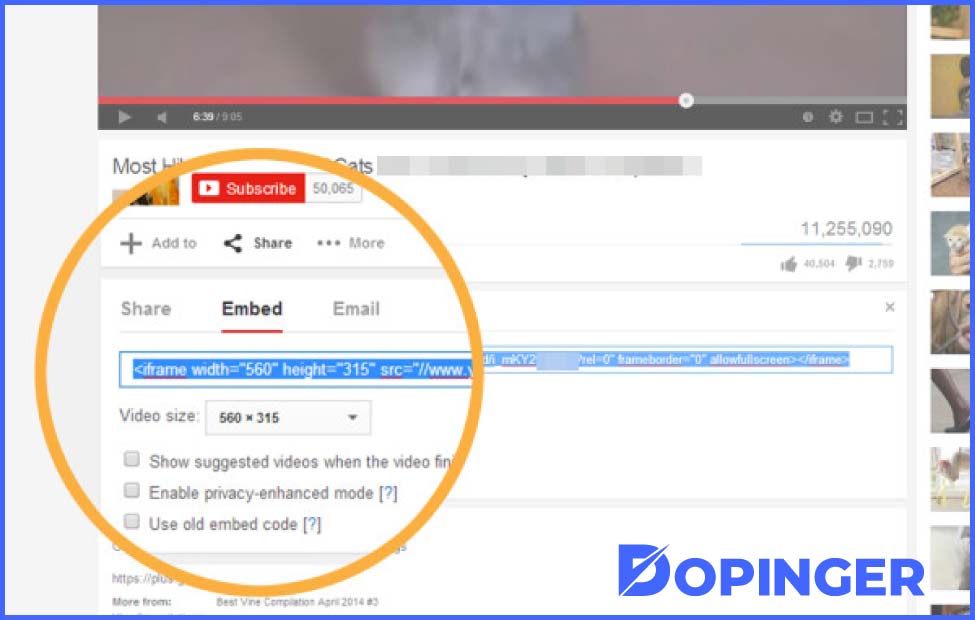
Create an iFrame with the Youtube Embed Code
Apart from adding code manually, you can also embed the embed code to create one. This is useful if you want to use certain content from a website, for example, YouTube.
- How to create one with the embed code from YouTube is as follows:
- On the YouTube video that you are watching, there will be a Share button.
- When you select the button, you will find a choice of ways to share the video. One of them is by embedding.
- When you select an embed code, YouTube will display a code you can use on your website. Please click Copy.
- Here’s an example of the embed code we use:
<iframe width="560" height="315" src="https://https://www.youtube.com/watch?v=ePV6ASJ0raw" frameborder="0" allow="accelerometer; autoplay; clipboard-write; encrypted-media; gyroscope; picture-in-picture" allowfullscreen></iframe>- Next, log into your WordPress Block Editor to create a post. Then, paste the embed code that you got from YouTube. Make sure the Block Editor is familiar with Custom HTML.
FAQ About What is iFrame
iFrame can prevent you from infringing copyright. This means that embedding content from other parties by embedding iFrame does not violate copyright.
The files you use are not stored on your hosting server with iFrame embedding option. So, you don’t need to worry about running out of storage.
You must know the security of the website that has the file. In addition to that, If the website is vulnerable to malware, it will undoubtedly disrupt the condition of your website.
Keep in mind that you can only embed content from websites that have the same protocol. This means, if your website uses HTTPS, use the link from the website with HTTPS.
Yes, you can embed the embed code to create an iFrame. This is a very useful option if you want to use certain content from a website, for example, YouTube.
iFrame in Short
You just learned what is iFrame and how to use iFrame. The iFrame is an element that you can add to an HTML page. The goal is to make your articles/website content more attractive.
Apart from that, iFrame has many advantages. Namely, it helps you save storage usage and prevents you from copyright infringement. If you didn’t understand what we meant by HTML file component, we will get you covered with this extensive review on HTML.
The post What Is iFrame? is republished from Dopinger Blog


Yorumlar
Yorum Gönder